

Review · updated July 2026
Lodgify review (2026): who it's for - and who should skip it
Lodgify is our pick for direct-booking website. Website builder plus channel manager — the easiest way to take commission-free direct bookings. Skip it if you manage 20+ units or want the deepest automation — its strength is the website, not portfolio ops.
Some links are partner links — it never changes our picks. How we're funded
Try Lodgify freeIf you manage short term rentals and have been researching vacation rental software, you've probably seen Lodgify advertised everywhere. But what does it actually deliver - and what does it really cost once the booking fees kick in? This Lodgify review breaks it all down without the affiliate sugar-coating.
Key Takeaways
Lodgify is a comprehensive all-in-one property management software and direct booking website builder best suited for solo hosts and small teams managing 1–15 vacation rental properties.
As of July 2026, the starter plan begins at ~$26 (prices checked July 2026)/month (billed annually) plus a 1.9% Lodgify booking fee on every direct booking. The Professional ($42/mo) and Ultimate ($59/mo) plans remove that per-booking commission entirely.
It's a great tool if your top priority is launching a professional direct booking website, setting up automated guest communication, and centralizing basic property management - without heavy technical setup or coding.
Skip Lodgify if you're running 30+ properties with complex automation needs, if you can't tolerate occasional mobile app instability, or if paying commission on your own direct bookings feels fundamentally wrong.
If Lodgify isn't the right fit, explore automation-heavy Uplisting or budget-friendly Smoobu - we compare them in detail in our /lodgify-alternatives/ guide.
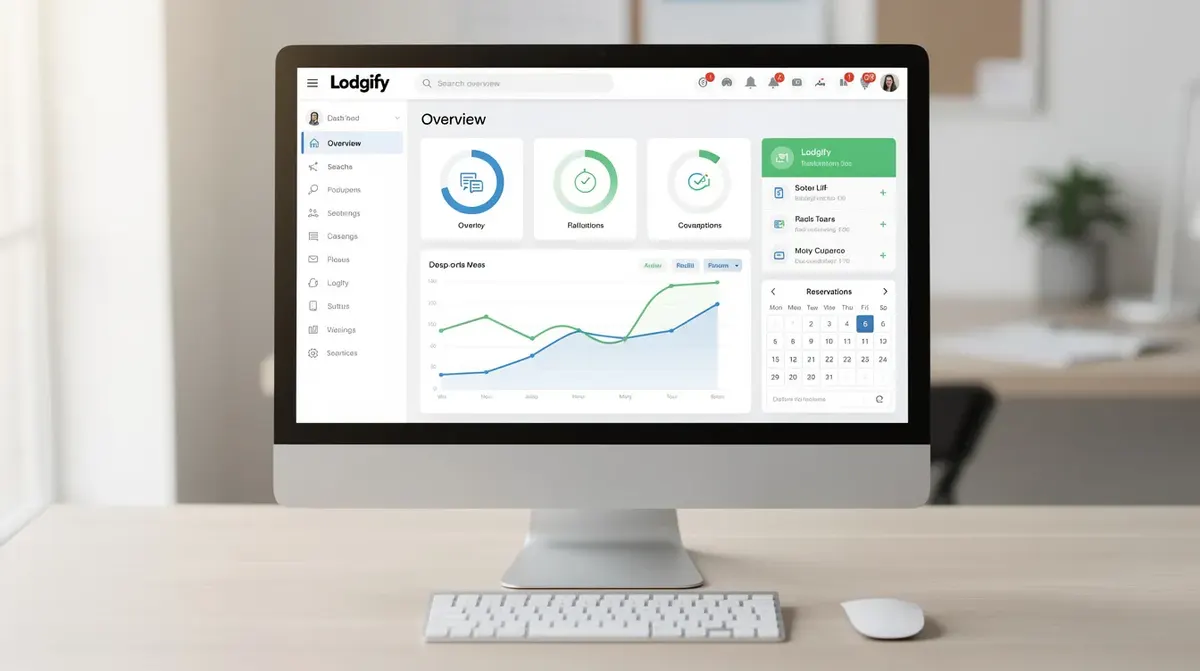
What is Lodgify?
Lodgify is vacation rental software launched in 2012, now used in over 180 countries by small hosts and boutique property managers. The software helps manage bookings, payments, guest communications, and calendars from one platform. It combines a channel manager, a no-code website builder, payment processing, and messaging automation into a single system designed mainly for short term rentals - think Airbnb-style apartments, villas, and cabins rather than long-term leases or hotels.
Lodgify is an official partner of major booking platforms. It integrates with Airbnb, Vrbo, and Booking.com, plus Google Vacation Rentals, via direct API connections to reduce double bookings across multiple channels.
Our overall verdict on Lodgify in 2026
The platform holds a positive average rating across software review sites - 4.5/5 on Capterra (~1,300 reviews), ~4.2/5 on G2, and roughly 90% four- or five-star ratings on Trustpilot. Lodgify is well-received by small to mid-sized vacation rental owners, and those numbers aren't manufactured.
That said, the real question isn't whether Lodgify works - it's whether its cost structure makes sense for your business. The platform aims to reduce manual work while increasing direct bookings, and it does both reasonably well. Users can save up to 40 hours monthly by centralizing reservations, messages, and calendar synchronization in one dashboard. But the starter plan's 1.9% booking fee on direct bookings is a real cost that many hosts underestimate.
Here's our positioning: Lodgify is best for solo hosts and small teams with up to ~15 rentals. It's workable for 20–30 units with simple operations. It becomes a weak fit once you run a complex, automation-heavy property management business that demands granular reporting or enterprise-level workflows.
What we like about Lodgify
Direct booking website builder. Lodgify features a no-code website builder that allows hosts to create commission-free booking sites without touching code. The website builder is praised for its ease of use and professional templates. You can use your own domain, customize colors and fonts, upload your logo, embed a booking engine with real-time availability, and accept credit card payments and deposits. It offers a direct booking website builder that genuinely competes with custom WordPress setups - at a fraction of the effort.
Channel manager and calendar sync. Lodgify includes a channel manager that syncs calendars with over 50 platforms. It offers direct API connections for faster syncs with Airbnb, Vrbo, Booking.com, and Google Vacation Rentals, plus iCal support for secondary booking channels. The multi-calendar view lets you see all reservations from every source in one place. Users appreciate the centralized dashboard for managing reservations and communications, and when mappings are configured correctly, the risk of double bookings drops significantly.
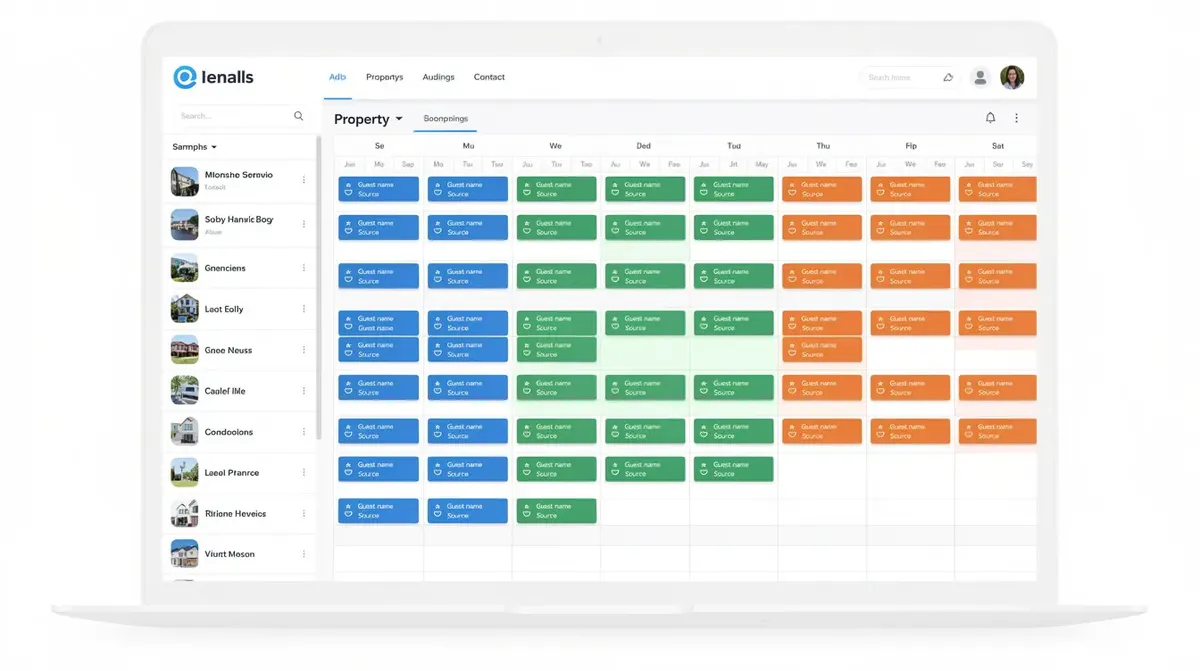
Automated guest communication. Lodgify automates guest communication and booking management through message templates, triggers for check-in/check-out, and scheduled emails. A host with 5 apartments reported that manual messaging time dropped by roughly 70% after setting up automated welcome messages, check-in instructions, review requests, and post-stay follow-ups. This kind of automation is what makes the platform intuitive for hosts who hear themselves repeating the same information to every guest.
Onboarding experience. Many users describe the onboarding experience as seamless and comprehensive. Lodgify provides free 1:1 onboarding calls for new users where a dedicated specialist helps import listings from Airbnb, connect channels, and build your first website. Onboarding sessions include personalized guidance from dedicated specialists through screen-sharing and email follow-ups. The Lodgify team consistently goes the extra mile during setup - multiple Trustpilot reviewers name their onboarding specialist by name.
Integration ecosystem. Lodgify connects to over 100 tools for various functionalities - dynamic pricing services like PriceLabs, accounting software, cleaning apps, and hardware integrations. Users can manage smart locks and automate cleaning schedules with Lodgify, extending the platform well beyond basic property management into operational task management.
What we don't like
The starter plan booking fee adds up fast. On the starter plan, Lodgify charges 1.9% on every direct booking - calculated on the total value including room rate, cleaning fees, taxes, and add-ons. Let's run the numbers: 40 direct bookings per year at $300 average = $12,000 in direct revenue. That's $228/year in Lodgify booking fees on top of your ~$312 annual subscription, bringing your total to about $540. Add payment processor fees (Stripe, etc.) separately, and you're looking at real expenses that eat into the commission savings you thought you'd get from leaving OTAs. This is the cost detail most Lodgify reviews gloss over.
Customer support is tiered - and it shows. 24/7 customer support is available only on the Ultimate plan. Users on Starter and Professional tiers report slow response times from customer support, especially on weekends and during peak season. Some users experienced unresolved technical issues with support on lower plans. When a calendar sync error threatens a double booking, waiting 24–48 hours for an email reply isn't acceptable. The support team is helpful when you reach them, but access to priority support requires a real financial commitment.
The mobile app needs work. App Store and Google Play feedback consistently mentions forced logouts, slow load times, and missing context (like which property a message refers to). For hosts who need cleaners or co-hosts to manage operations in real time on their phones, the mobile app still lags behind the web experience. This matters for short term rentals where turnovers happen daily.
Learning curve for advanced features. While Lodgify is generally intuitive, there's still a learning curve when configuring rate rules, minimum-stay policies, and channel mappings. Some advanced property management features like owner statements and expense tracking feel basic compared to other PMS tools built specifically for larger operations. Users find that getting the most out of the platform takes a few focused sessions beyond initial onboarding.
Lodgify pricing (July 2026): plans, booking fees and real costs
Lodgify's pricing structure is tiered based on features needed. Lodgify offers three pricing plans: Starter, Professional, and Ultimate. Here's what each actually costs - booking fees included.
Plan | Monthly price (annual billing) | Per-booking fee | Key features & limits |
|---|---|---|---|
Starter | ~$26/mo | 1.9% on direct bookings | Website builder, booking widget, unified calendar, secure payments, co-host access, personalized onboarding. No credit card required for trial. |
Professional | ~$42/mo | 0% | Everything in Starter + automated messaging workflows, Google Vacation Rentals listing, phone & email support, damage protection pre-auth. |
Ultimate | ~$59/mo | 0% | Everything in Professional + priority support (chat, phone), task/cleaning management, owner statements, invoices, mobile guidebook app, free Turno subscription, advanced analytics. |
Prices assume annual billing for a single property. Monthly billing costs more. Prices scale upward with property count.
The starter plan includes a 1.9% booking fee on transactions made through your Lodgify-powered direct booking website and booking widgets. It does not apply to OTA bookings from Airbnb or Vrbo. Upgrading to Professional or Ultimate removes the booking fee entirely - you only pay your card processor fees.
When should you upgrade? A single property doing 50 direct bookings/year at $400 average generates $20,000 in direct revenue. At 1.9%, that's $380 in Lodgify fees. Add the Starter subscription ($312/year) and you're at $692. The Professional plan costs ~$504/year. At that volume, upgrading saves you nearly $190/year and removes the per-booking commission entirely.
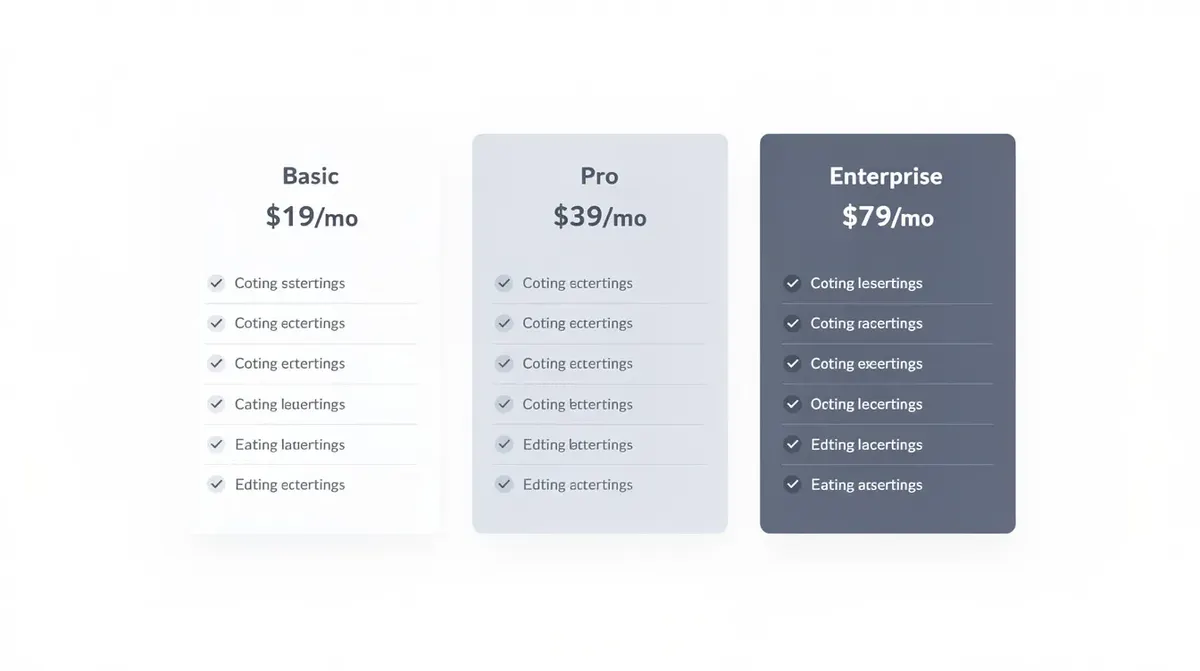
Costs users often miss: payment processor fees (typically 2.9% + $0.30 via Stripe), third-party integrations that charge separately, custom domain registration via an external registrar, and potential VAT or sales tax depending on your jurisdiction.
Lodgify website examples: what real sites look like
The direct booking website is often the main reason hosts explore Lodgify - it's the feature that separates it from channel-only tools. Here's what Lodgify-powered sites actually look like in practice.
Single-property coastal villa. A Mediterranean vacation rental site built on Lodgify typically features a full-width hero image, a prominent "Book Now" button, an integrated availability calendar showing nightly rates, and a testimonials section. The host uses their own custom domain, adds trust signals like cancellation policies and guest reviews, and creates a professional impression that rivals hand-coded sites.
Urban apartment portfolio. A small portfolio of 5–8 city apartments uses Lodgify's multi-property layout with filters by guest count and neighborhood. Each listing has its own page with photo gallery, amenities, and live calendar. The booking engine handles date selection and payments without redirecting guests elsewhere.
Rural cabin collection. A set of mountain cabins leverages Lodgify's built-in blog functionality to publish local hiking guides, seasonal activity posts, and restaurant recommendations. This content drives organic traffic that converts visitors into more direct bookings over time.
Templates allow you to adjust colors, fonts, and layout sections. You can add custom pages (FAQ, About, Guidebook) and embed maps. SEO basics are covered: editable meta titles, descriptions, clean URL structures, and blog support. For a deeper dive on building a sustainable direct booking channel, see our complete direct booking website guide at /direct-booking-website-guide/.
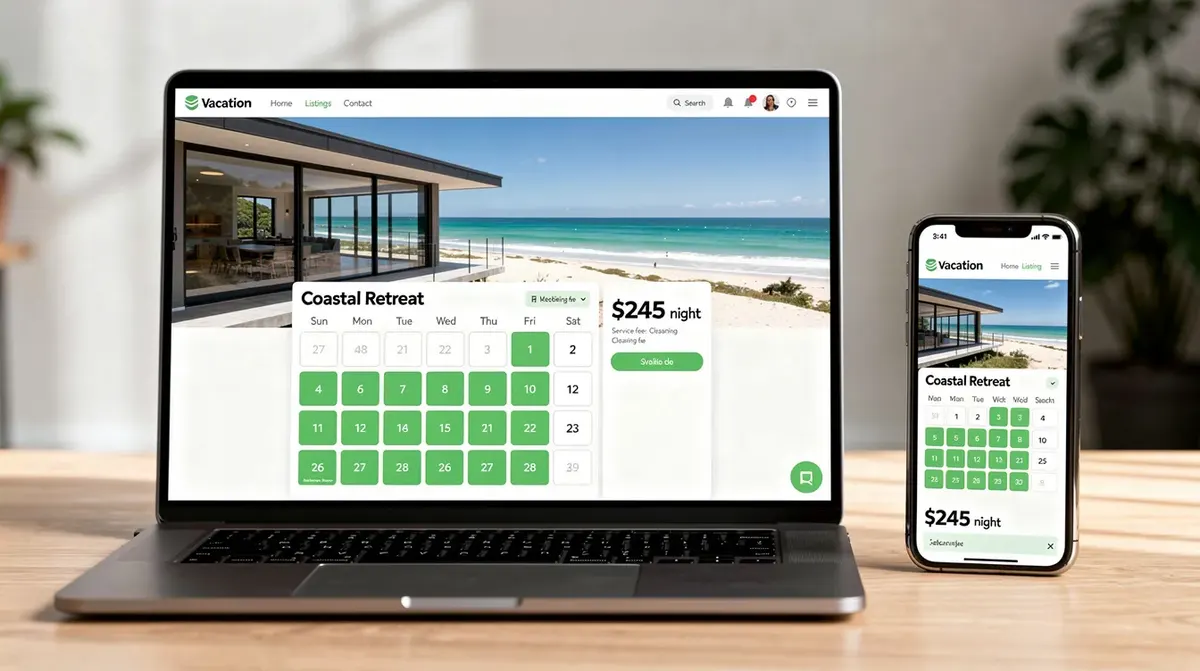
Channel management, calendar sync and avoiding double bookings
Listing the same property on Airbnb, Vrbo, Booking.com and your own website without reliable calendar synchronization is a recipe for disaster. One double booking can mean angry guests, OTA penalties, and terrible reviews.
Lodgify syncs calendars across multiple booking platforms via direct API connections with Airbnb, Vrbo, Booking.com, and Google Vacation Rentals. It also supports iCal for secondary channels. Rates, availability, and reservations sync in near real time, and the central calendar ties directly into property management workflows - cleaners' schedules, owner reporting, and maintenance blocks.
When mappings are correct, Lodgify greatly reduces double booking risk. However, real user feedback reveals that VRBO integration issues have caused double bookings and wrong unit assignments when channels are misconfigured or sync is delayed. Best practices for safer setup: always test sync by creating a booking on one platform and verifying it appears blocked elsewhere within minutes; add buffer dates between bookings; and train any co-hosts or team members on how channel mapping works so nobody accidentally creates conflicts.
Customer support & onboarding: what to expect
Strong customer support and a smooth onboarding process are critical when switching property management software - especially if you're migrating live listings with active reservations.
Lodgify offers free 1:1 onboarding calls for new users where a specialist helps import listings, connect Airbnb and Vrbo, and build your first direct booking website. Users report a thorough onboarding process that reduces the learning curve through screen-sharing sessions, email follow-ups, and access to academy resources. Onboarding helps users quickly set up their direct booking websites and core operations. Many users report positive experiences with Lodgify's customer service and onboarding process, and Lodgify offers 90% customer satisfaction ratings overall.
However, technical support quality drops on lower tiers. Starter and Professional plans get mainly email support with limited hours and possible delays during weekends and peak season. The Ultimate plan unlocks priority support with in-app chat, phone access, and faster resolution for urgent problems like payment failures or calendar sync issues.
Practical advice: use the free trial period plus onboarding to stress-test response times. Open a real support ticket, ask a complex question, and see how long it takes to get a helpful answer before committing to an annual plan.
Who should choose Lodgify?
Lodgify shines for specific profiles:
Solo hosts and small teams (1–15 properties) who want everything - website, payments, automation, property management - in one login without juggling five different tools.
Owners new to direct booking who want an easier way to create a professional website and move beyond Airbnb reliance without hiring a web developer.
Hosts who value guided onboarding and are willing to invest a few focused days to configure templates, policies, and automated guest communication properly.
Destination rental operators where building repeat guests and generating more direct bookings can significantly cut OTA commission over time, making the subscription cost a clear benefit.
If these profiles sound like you, Lodgify offers a compelling package. Explore our complete direct booking website guide at /direct-booking-website-guide/ for strategy context.
Who should skip Lodgify (or outgrow it)?
Lodgify isn't a universal solution. Some hosts will hit its limits or lose money on the fee structure.
High-volume operations (30+ properties) where the starter plan's 1.9% booking fee on substantial direct revenue would cost far more than a flat-fee PMS.
Automation-dependent managers who need complex multi-step rules, conditional triggers, granular multi-owner accounting, and revenue management dashboards that go beyond what Lodgify currently offers.
Mobile-first field teams - cleaners and co-hosts who need rock-solid app performance for real-time task updates and can't tolerate occasional crashes or forced logouts.
Budget-conscious hosts who want a completely commission-free direct booking website from day one and refuse to pay per-booking fees on any plan.
Switching later is possible but carries migration work. It's better to choose a tool aligned with your next 2–3 years of growth. For detailed comparisons, see our /lodgify-vs-uplisting/ and /smoobu-vs-lodgify/ guides.
Alternatives to Lodgify
No single PMS is perfect. The right Lodgify alternative depends on whether you prioritize automation, budget, or website design. Here's a quick positioning against other PMS options.
Uplisting focuses on stronger automation with powerful multi-step rules and team workflows, better suited to managers with 20+ properties. Compared to Uplisting, Lodgify wins on ease of launching a branded direct booking website but loses on deep automation and reliability for large portfolios. See our full /lodgify-vs-uplisting/ comparison.
Smoobu is more budget-friendly with flat-fee pricing and a commission-free website builder in its core plan. Compared to Smoobu, Lodgify tends to be more polished visually and has stronger onboarding, while Smoobu usually wins on having no booking fees and a lower monthly bill. Details in our /smoobu-vs-lodgify/ breakdown.
For a broader view, explore our full /lodgify-alternatives/ guide. Before deciding, list your top 3 priorities - more direct bookings, no booking commission, maximum automation - and match them against each tool.