Guide · updated July 2026
Airbnb Pricing Tools Compared: Smart Pricing vs the Pros
Airbnb pricing tools compared (2026): smart pricing vs the pros (PriceLabs, Beyond, Wheelhouse). What actually moves your revenue.
Key Takeaways
Airbnb Smart Pricing is free and built into the platform, but it optimizes for Airbnb's occupancy goals rather than your revenue, often setting rates below market value during high-demand periods.
Dedicated dynamic pricing tools like PriceLabs, Wheelhouse, and Beyond use deeper market data, competitor pricing analysis, and configurable rule sets to protect your minimum rates and capture higher-paying bookings.
Choosing the right tool depends on portfolio size (one listing vs 5+ properties), how seasonal your market is, and how hands-on you want to be with your pricing strategy.
Third-party tools outperform Smart Pricing by 15–25% in revenue according to industry studies, often paying for themselves within the first month.
This article includes concrete 2026 pricing examples for each tool and explains how they connect to Airbnb and common property management systems.
The essentials: what Airbnb pricing tools actually do
Before comparing specific products, it helps to define what airbnb pricing tools are in plain terms and why they exist.
An airbnb pricing tool is software that sets your nightly rate automatically using demand signals, seasonality, competitor pricing, and your own rules instead of a static number sitting in your calendar. Effective Airbnb pricing tools automate rate adjustments based on market demand, removing the guesswork from what to charge tonight versus next Friday versus New Year's Eve. Optimizing rental rates is critical for maximizing Airbnb revenue, and these tools exist to do exactly that.
There are two categories. Airbnb Smart Pricing is the built-in, free option with limited controls. Third-party dynamic pricing tools like PriceLabs, Wheelhouse, and Beyond offer advanced configuration and market data across multiple channels. Dynamic pricing on Airbnb means prices adjust daily (or more often) based on booking pace, local events, weekends vs weekdays, and lead time. The goal for serious hosts is not just more bookings but more profit per available night, including protecting a minimum price floor so you never sell a night below cost.
Later sections compare specific tools, show real 2026 pricing models, and help you decide if paying for a dynamic pricing tool is worth it.
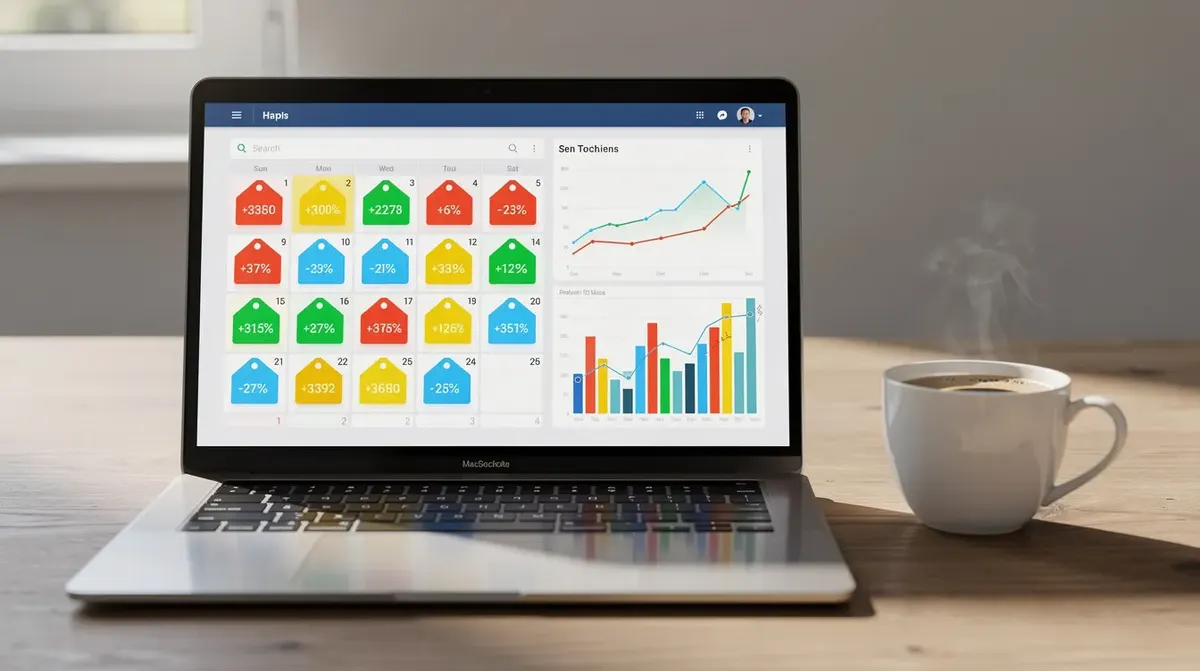
Why Airbnb Smart Pricing tends to underprice
Most hosts first encounter airbnb smart pricing as a toggle in their calendar. Turn it on, optionally set a minimum and maximum nightly rate, and Airbnb suggests prices within that band. Simple enough. But the results often disappoint.
Smart Pricing optimizes for Airbnb's occupancy goals, not hosts' revenue. The platform benefits when every listing is booked every night because Airbnb earns a service fee on each reservation. Hosts, on the other hand, need to optimize revenue per available night and profit margins. That misalignment creates predictable underpricing patterns:
Aggressive discounts on shoulder nights (Sunday through Thursday) to fill gaps, pushing lower prices than the market warrants.
Conservative price hikes on high-demand dates like concerts, marathons, and holidays, leaving money on the table when local demand spikes.
A tendency to push close-in discounts too low when there are open nights within the next 7–10 days.
Hosts can set minimum rates with Airbnb Smart Pricing, but many leave floors too low because the platform's UI nudges them toward "recommended" settings. Worse, Smart Pricing can set prices below hosts' stated minimums in certain edge cases involving promotions or airbnb price tips layered on top.
In cities with strong seasonality, like beach markets or ski towns, Smart Pricing often fails to ramp prices early enough before peak months. Airbnb Smart Pricing often underprices listings for hosts during exactly the dates that matter most. And because Smart Pricing does not expose transparent rule sets, serious hosts cannot see or adjust the underlying pricing model to align with their own strategy.
If you're watching similar listings charge twice your suggested rate during a local festival, that's not a glitch. It's a structural limitation of the tool.
How third-party Airbnb pricing tools work (vs Smart Pricing)
Dedicated dynamic pricing tools take a fundamentally different approach to setting your nightly rate.
These tools pull in hyper-local market data that goes well beyond what Smart Pricing uses. Typical inputs include nearby listings' rates and occupancy rates, booking pace relative to historical baselines, seasonality and day-of-week trends, local events, holidays, and school breaks, and lead-time curves that apply discounts last-minute or premiums far out. Dynamic pricing adjusts rates based on demand and local events, and dynamic pricing tools analyze local demand and competitor pricing to arrive at each night's suggestion.
Third-party dynamic pricing tools often use AI algorithms to maximize revenue by processing these factors together. As a host, you set a base price, a minimum price, and sometimes a maximum price, then layer additional rule sets: weekend premiums, orphan gap fills, last-minute discounts, and length-of-stay adjustments. The tool pushes updated nightly prices back to Airbnb and other channels automatically each day, updating every date in your calendar without manual edits.
The transparency difference is significant. Most tools show exactly how they arrived at a nightly rate: a market index, a demand score, an adjustment breakdown. Smart Pricing gives you a number and no explanation.
These tools also support dynamic pricing airbnb workflows across multiple platforms, preventing channel mismatches when connected via a property management system. The next sections compare PriceLabs, Wheelhouse, and Beyond with concrete 2026 pricing and who each is best for.
PriceLabs vs Wheelhouse vs Beyond: 2026 pricing and who they're for
This section is a practical comparison of the three most-used airbnb pricing tools, with pricing examples current as of mid-2026. Always verify on each provider's site before committing.
PriceLabs
PriceLabs charges $19.99 (prices checked July 2026) per month for a single unit. Volume discounts kick in as you add properties: listings 2–5 drop to $14.99 each, listings 6–15 to $12.99, and larger portfolios go lower still. This is a flat-fee pricing model, meaning your cost stays the same whether you earn $2,000 or $8,000 per month from that listing.
PriceLabs is best for hosts with 3+ properties who want granular control over advanced rule sets and detailed market data dashboards. If you enjoy fine tuning your strategy and running scenario analysis, this is the power-user pick.
Wheelhouse
Wheelhouse offers both a percentage-of-booking option (roughly 1% of revenue, minimum $2.99 per listing per month) and a flat Pro plan around $19.99 per listing monthly. At $2,000 monthly revenue the percentage model costs about $20; at $5,000 it costs $50, making the flat fee more economical for higher earners. Wheelhouse excels in market intelligence and competitor analysis. Wheelhouse offers market intelligence and competitor benchmarking features including comp sets, booking-pace charts, and neighborhood-level data visualizations. It suits data-driven operators who value deep market insight as much as automation.
Beyond
Beyond charges roughly 1–1.25% of booked revenue per property, with a minimum monthly fee in some markets. A listing earning $2,000/month pays about $20–$25; at $5,000/month that rises to $50–$62.50. There is no flat-fee option as of mid-2026. Beyond Pricing is easiest for new hosts to set up: fewer advanced knobs, faster onboarding, and reasonable defaults. It's well-suited to hosts with 1–3 listings who want quick "better than Smart Pricing" results.
Trade-offs at a glance
Factor | PriceLabs | Wheelhouse | Beyond |
|---|---|---|---|
Pricing model | Flat fee | Flat or % | % only |
Cost at $2K/mo revenue | $19.99 | $19.99 or ~$20 | ~$20–$25 |
Cost at $5K/mo revenue | $19.99 | $19.99 or ~$50 | ~$50–$62 |
Configuration depth | High | Medium-High | Low-Medium |
Best for | 3+ listings, power users | Market-focused operators | 1–3 listing beginners |
Do not run more than one dynamic pricing tool live on the same listing at once. They will overwrite each other's updates and create unpredictable prices.

Key features to look for in an Airbnb pricing tool
Whether you're evaluating the big three or a newer entrant, use this checklist to assess any pricing tool.
Price Controls
Minimum and maximum prices
Setting clear minimum and maximum prices protects profitability.
Look for separate floors for weekends and peak seasons.
Custom pricing rules
Ability to set custom pricing for local events and peak demand periods.
The tool should support triggers for these scenarios.
Rule Sets
Last-minute discounts
Support for applying discounts to fill gaps close to arrival dates.
Far-out premiums
Ability to add premiums for bookings made well in advance.
Weekend markups
Option to increase rates for weekends compared to weekdays.
Orphan night strategies
Tools to fill single-night gaps between bookings with targeted pricing.
Targeted discounts
Using discounts strategically to boost occupancy without lowering the standard rate.
Market Data Depth
Neighborhood-level data
Access to occupancy and average daily rates in your immediate area.
Booking pace visibility
Insights into how quickly properties are booking at different lead times.
Competitive sets
Ability to filter comps by bedrooms, amenities, and reviews for more accurate benchmarking.
Usability
User-friendly dashboards
Clear, intuitive dashboards and explainable pricing changes.
Calendar view
A calendar interface that is easy to navigate and understand.
Reasonable defaults
Default settings that provide acceptable pricing for new users within the first hour.
Pricing Model Transparency
Billing clarity
Transparent flat vs percentage billing, minimum fees, and how costs scale from one listing to many.
Free trials
Availability of 14–30 day free trials to test the tool before committing.
Integration Scope
Direct Airbnb connection
Ability to connect directly to Airbnb for hosts without a PMS.
PMS and channel manager compatibility
Integration with property management systems and channel managers for multi-listing operators.
Favor tools that let you override nightly prices for specific dates manually without breaking the automated pricing model. Flexibility to adjust around your own knowledge of the market matters.
How pricing tools connect to Airbnb and your PMS
Understanding the technical connection saves headaches later. Here's how it works in 2026.
Direct Airbnb connections. You log into the pricing tool and authorize access to your Airbnb account via OAuth. The platform's security service may prompt you with a verification page, performing security verification to confirm the connection is legitimate and not yours by mistake or triggered by malicious bots. Once verification successful, the tool pulls your listing details and calendar data, then starts pushing nightly rates back to Airbnb once configured. Airbnb verifies each API call to protect account integrity, and you may occasionally see a respond ray id in your browser during this process, which is normal bot protection behavior.
PMS-based connections. Many professional operators connect the pricing tool to a PMS like Uplisting (a mid-market PMS with strong channel management) or Smoobu (popular with smaller portfolios). The pricing tool sends updated rates to the PMS, which then syncs those rates to Airbnb, Vrbo, Booking.com, and other channels.
Practical considerations:
Only one source of truth for pricing should control a listing at any time. If Smart Pricing and a third-party tool are both active, rates conflict.
Some PMSs require turning off their own internal pricing rules when using an external dynamic pricing tool.
The pricing tool usually updates rates at least once per day. Availability is controlled in the PMS or Airbnb, not inside the pricing tool.
Test integration with one low-risk listing first. Verify that prices update correctly on all channels before rolling out portfolio-wide.
Do you even need an Airbnb pricing tool?
Not every host needs to pay for dynamic pricing. Here's an honest breakdown.
When Smart Pricing or manual pricing may be enough:
You manage one listing in a low-seasonality market with stable demand and flexible income expectations.
Your property books out months in advance at target rates using a simple seasonal rate table.
When a dynamic pricing tool tends to pay off:
You manage 3+ listings in markets with strong seasonality or event-driven demand (ski towns, beach destinations, metro cities with conferences).
Average daily rates in your market swing 2–3x between low and peak seasons, making static pricing risky.
At 5–10 properties, manual calendar adjustments become time-consuming and error-prone. Automated pricing tools help avoid manual pricing errors across multiple listings.
What the evidence says. Multiple peer-reviewed and industry studies show that dynamic pricing can lead to increased occupancy and revenue compared to static rates. Third-party tools increase revenue by 20% on average over flat pricing or poorly optimized Smart Pricing, with conservative estimates showing hosts using dynamic pricing tools see a 5-10% revenue lift even in stable markets.
A quick back-of-the-envelope test. Compare the tool's monthly cost against even a small improvement: one or two extra high-rate nights per month. If your tool fee is $20 and one recovered peak night earns you an extra $50–$100, the math is straightforward. Try plugging your own numbers into a profit calculator to quantify the potential upside for your specific location.
If you're already monitoring events, school holidays, and pacing data every week, a pricing tool mostly saves time and reduces mistakes. For less hands-on hosts, it provides both discipline and more sophisticated market data.
Building a pricing strategy around your chosen tool
Even the best dynamic pricing tool is only as good as the pricing strategy behind it. Here's high-level guidance to get started.
Define Your Floors
Setting a minimum price ensures operational costs are covered: cleaning, utilities, supplies, and your desired margin.
Build a realistic base price per season informed by local market data and comps.
Configure Core Rule Sets
Weekend premiums vs weekday rates.
Last-minute discount curve (e.g., 0–14 days before arrival).
Far-out premium for peak season dates booked well in advance.
Creating seasonal pricing rules allows hosts to adapt automatically to market trends without constant manual attention.
Length-of-Stay Strategy
Use the tool to encourage longer stays that reduce turnover costs.
Most dynamic pricing tools adjust nightly rates, but Airbnb discounts and promotions rule sets still live on Airbnb or in your PMS and must be aligned manually to avoid conflicts.
Ongoing Review
Regular monitoring of pricing tools impacts occupancy and revenue effectiveness.
Check performance at least monthly: occupancy, ADR, revenue, and pacing vs the market.
Hosts should review competitor rates and local events regularly to adjust pricing.
Regular price adjustments help maintain competitiveness and earnings across seasons.
Start with the tool's suggested defaults, then gradually layer more advanced rules once you're comfortable with how dynamic pricing behaves in your specific market.